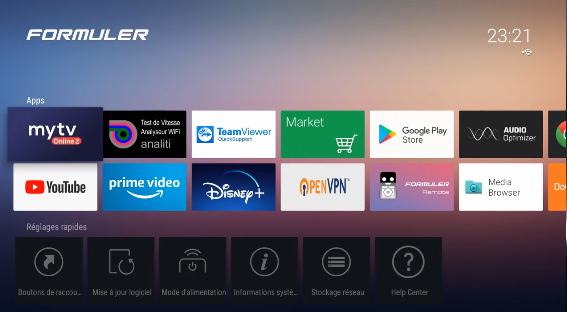
Setting up your IPTV subscription on MYTVOnline is simple when you follow the correct steps. This guide explains how to connect your subscription and start watching on your compatible device.
Step 1: Launch the MYTVOnline App
Open the MYTVOnline application on your compatible Formuler box or device.
MYTVOnline provides an interface for accessing your streaming service once your subscription details have been configured.
Step 2: Access the Connection Section
From the main screen, open Settings and look for the Connection section. Select it to continue configuring your subscription.
Step 3: Add an IPTV Portal
Inside the Connection menu, select Add Portal. This option allows you to connect your subscription to MYTVOnline.
Step 4: Enter Your Subscription Details
Enter the portal URL and any other information provided by your subscription provider. Make sure the details are accurate before saving.
Step 5: Save and Start Watching
Save your settings and return to the main screen. If the details are correct and the service is compatible, your content should load.
If you encounter an error, double-check the portal URL and contact your provider for assistance.
Get Started with Your IPTV Subscription
Looking for an IPTV subscription? Visit our subscription plans page to explore the available options and find a plan that suits your needs.
